Horvarn Edu Coachingby Horvarn Edu · a Hovarns™ companyBook a demo

Your centre.Your app.Your rules.

Horvarn Edu Coaching is one app for your whole coaching centre: the office, your teachers, every student and every parent. On their phones, in English or Tamil, under your name and on your domain.

Or open the demo app right now, as:

The film · Horvarn Edu Coaching2 min 18 s
Read the film's script

Running a coaching centre is easy… said no one. Ever.

Attendance on paper. Marks in Excel. Fees in a notebook. And forty parents asking, “Sir, marks eppo varum?”

Meet Horvarn Edu Coaching — one app for your whole centre. Office, teachers, students, parents. All on the same page. Literally.

Every morning it tells you what actually needs you. New admission? Five short steps, login created, slip printed. Fees, dues, enquiries — the follow-ups chase themselves.

Teachers mark attendance in under a minute. Marks go in at typing speed. One question bank — tag a question for NEET, JEE and boards at once — and the paper builder checks the blueprint before you print.

Students get Today's 10 — ten questions from their own mistakes, with a streak they don't want to break. A real NEET-style exam screen. An analysis that shows exactly where the marks leaked. And a mistake book that won't let mistakes repeat. Rude, but effective.

Parents see results, attendance and fees — in Tamil or English, every child on one login. No more “Sir, marks eppo?” Well… fewer.

Teach live, record the class, and attendance marks itself. Students chat with teachers — safely, visible to the office. And online tests come with anti-cheat: full screen, whole-screen sharing, tab-switch alerts. Switch tabs once — warning. Twice — warning. Third time? Submitted.

Not a paper-and-pen person? Glass. Minimal. Comic book, if you're feeling brave. Same app, your look — your logo, your colours, your domain. Your students will think you built it. We won't tell.

And it's made for phones first — your own app icon on every student's home screen.

Run it on our cloud, or on your own server. Either way, updates arrive signed and install in one click — or automatically, overnight. Every copy checks its licence each session, so your app stays yours… and pirates stay sad.

Horvarn Edu Coaching. Your centre. Your app. Your rules. Book a demo today.

Every desk. Every phone.

Five kinds of people run on the same records. Each sees only their part, on the screen they actually use: the office at a desk, everyone else on a phone.

The office

Admin and office staff · every screen, every number
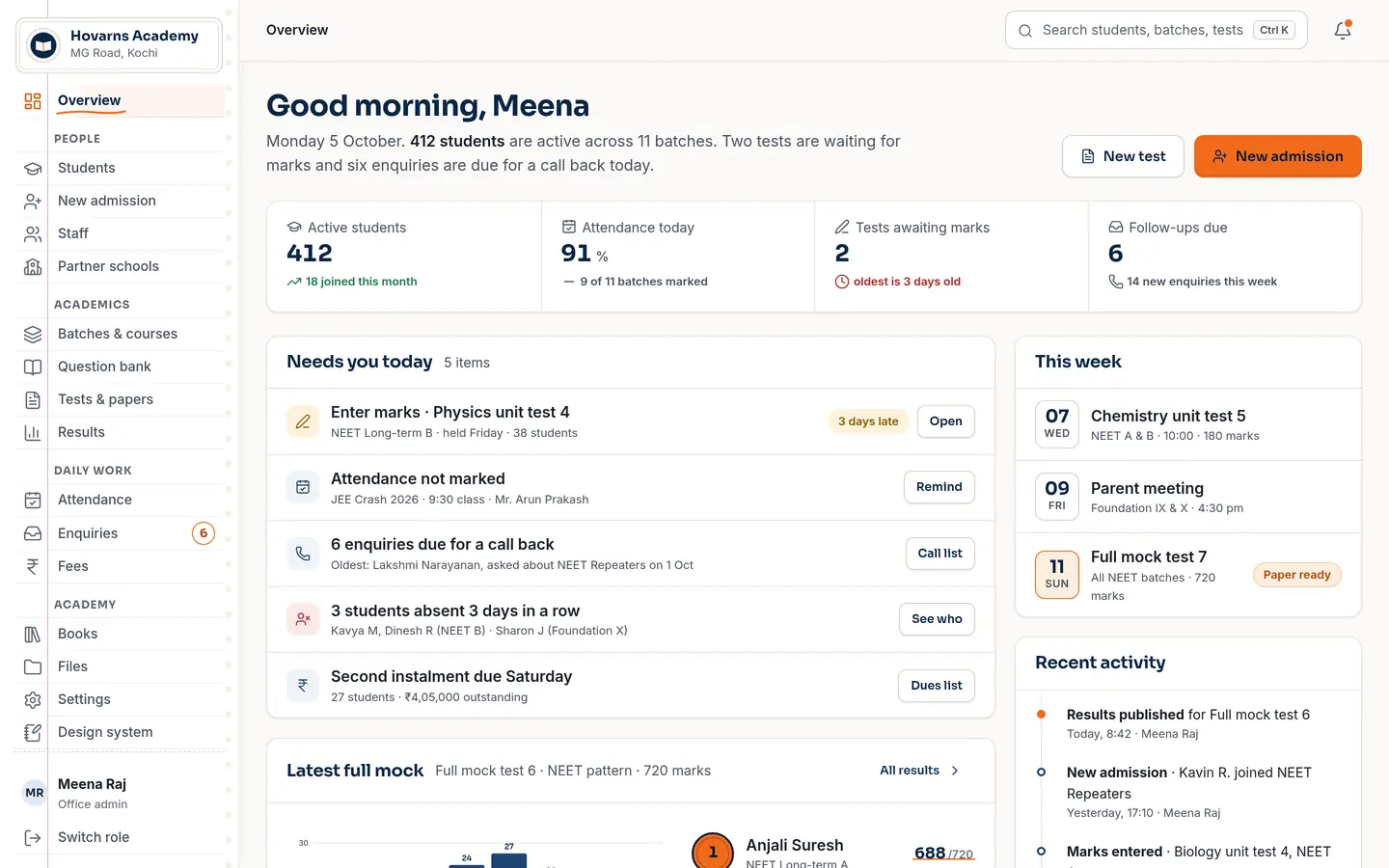
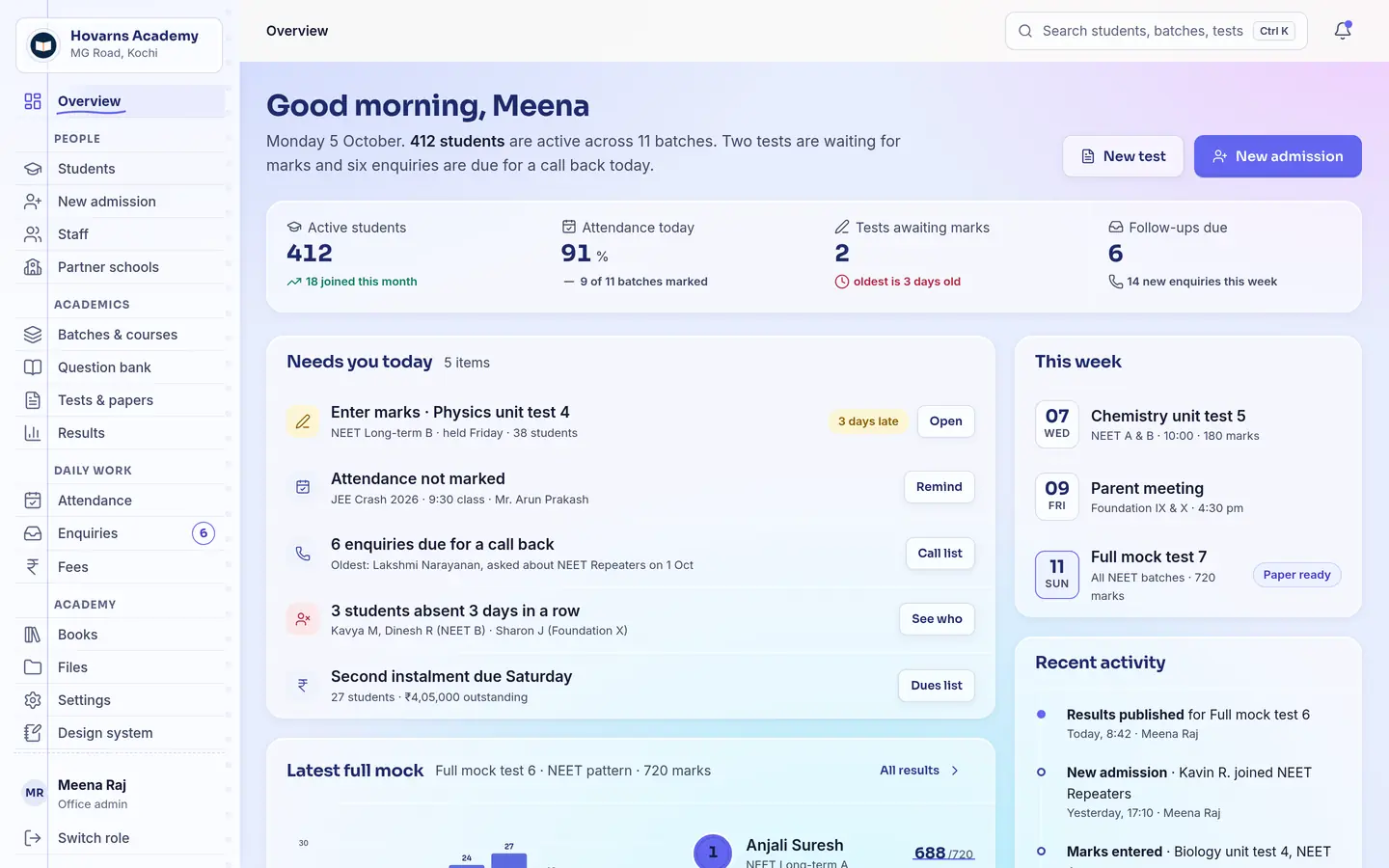
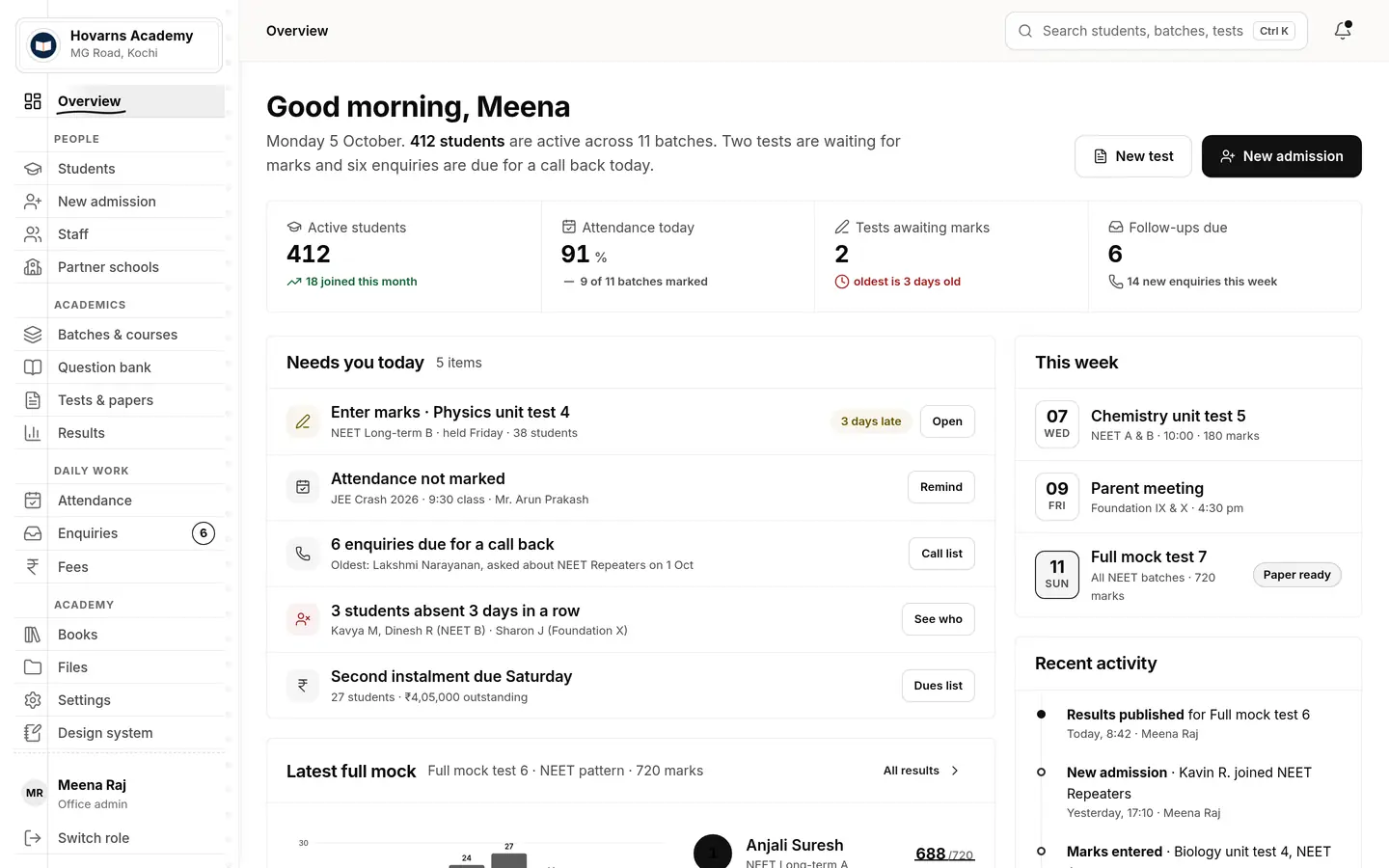
The office overview in the demo app: Good morning, Meena — 412 active students, 91% attendance today, two tests awaiting marks, six follow-ups due, and a Needs-you-today list.
  • A morning overview that lists what needs you today
  • Admissions in five short steps, with logins and a credential slip made for you
  • Batches, staff, partner schools, enquiries board, fees and dues fees: v2.1 preview
Open the office demo

Teachers

Scoped to their own batches
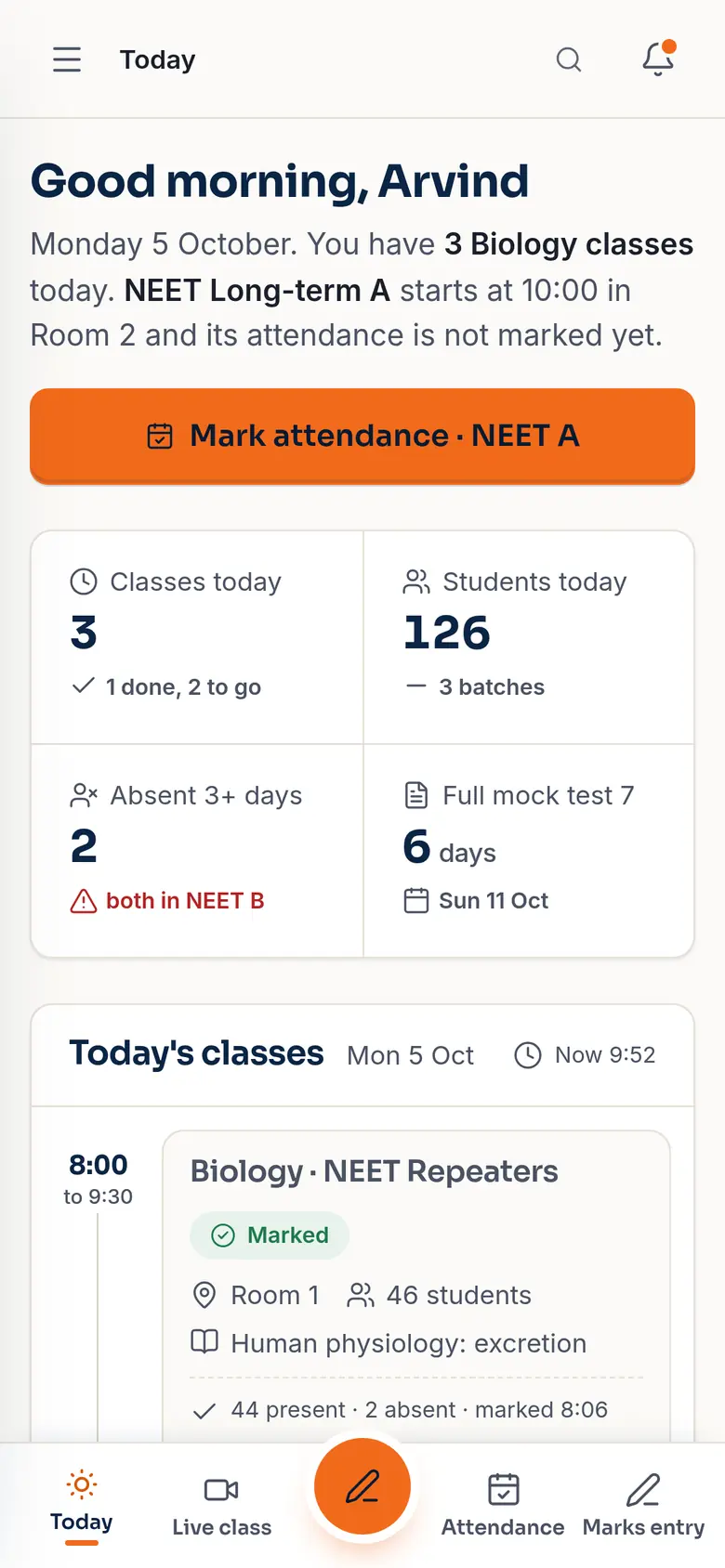
Teacher's Today screen: three classes today, 126 students, a Mark attendance button for NEET A.
  • Attendance and marks from the classroom
  • Question bank, test papers, doubts and chat
  • Live classes that take attendance themselves
Teacher demo

Students

Almost always on a phone
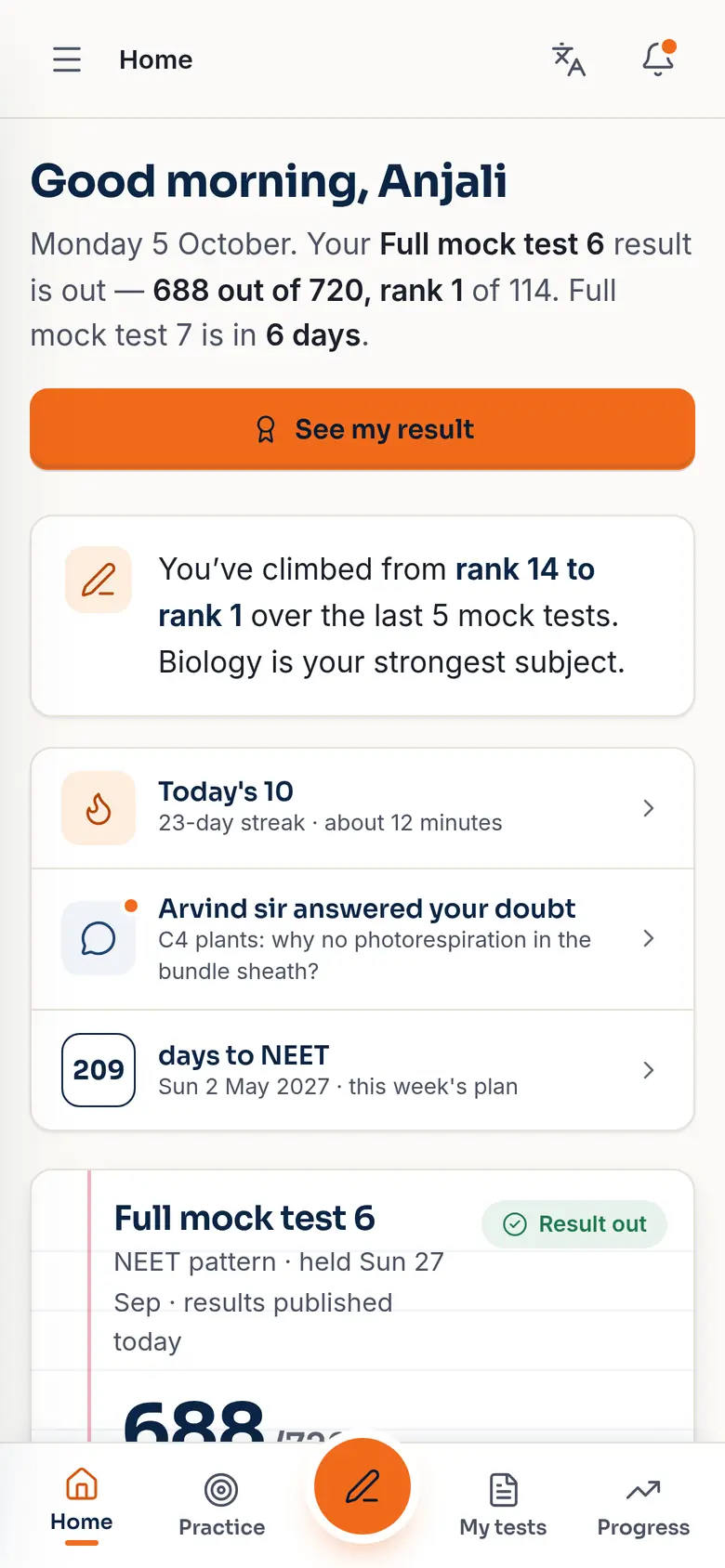
Student home: Good morning, Anjali — Full mock test 6 result is out, 688 out of 720, rank 1 of 114.
  • Results, rank and progress
  • Today's 10, mistake book, NTA-style tests
  • Books, live class, chat
Student demo

Parents

One login for all their children
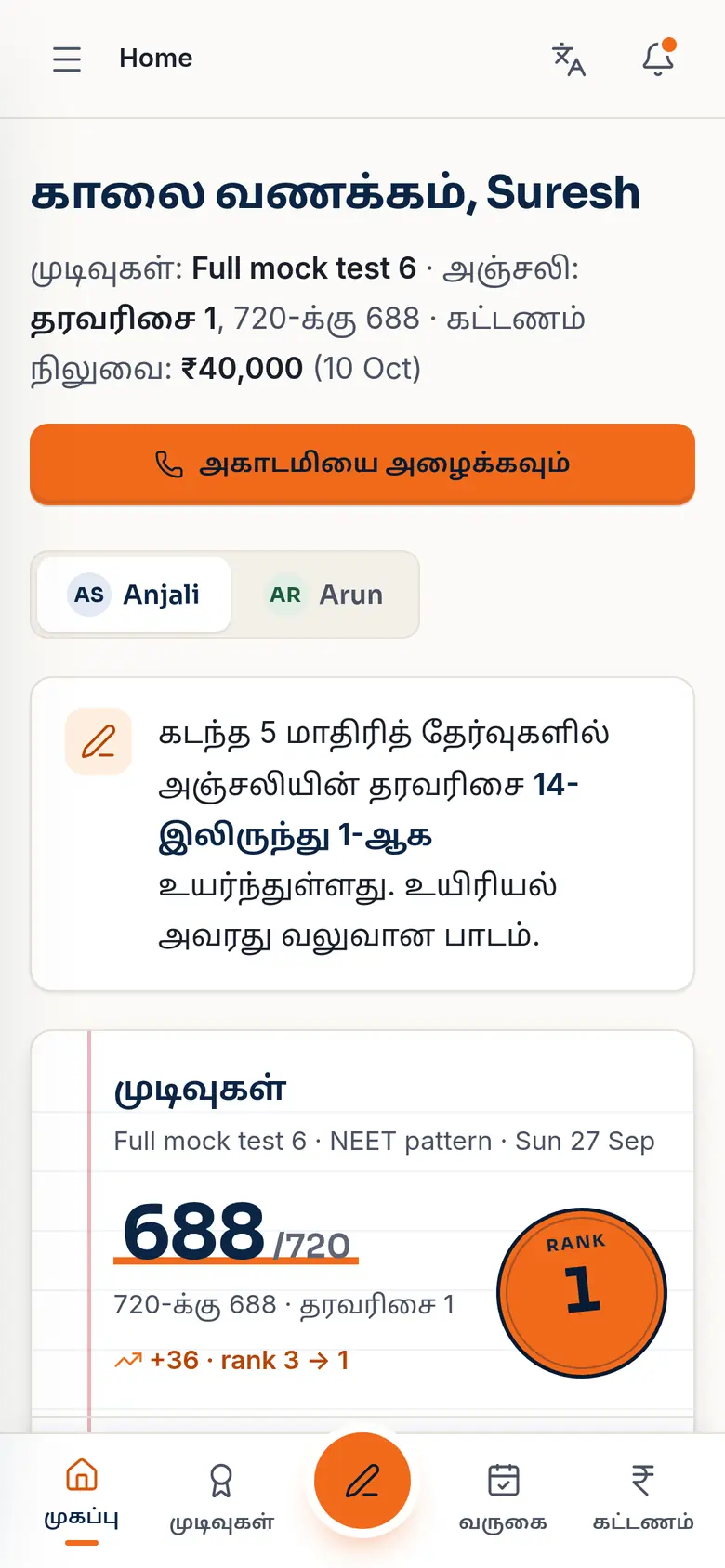
Parent home in Tamil: காலை வணக்கம், Suresh — results, rank 1, and the fee due on 10 October.
  • Results, attendance and fees
  • In Tamil or English
  • One tap to call the centre
Parent demo

Partner schools

For integrated batches run with a school

The school sees its own students' results and attendance, and nobody else's.

Partner school demo

Attendance in under a minute.

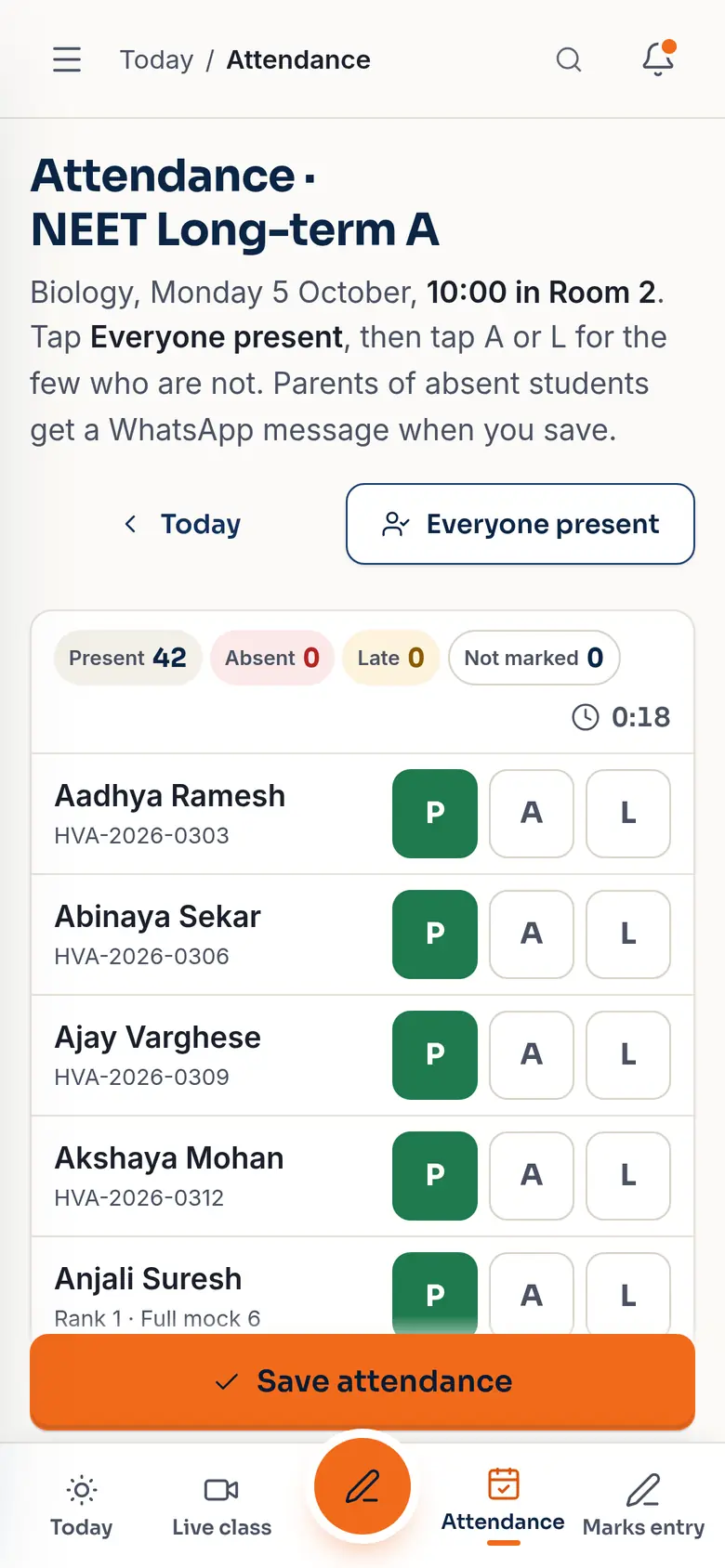
The teacher opens the batch on a phone, taps Everyone present, then marks the few who aren't. Parents of absent students get a WhatsApp message when it's saved.

  • One tapEveryone present, then P / A / L for the exceptions
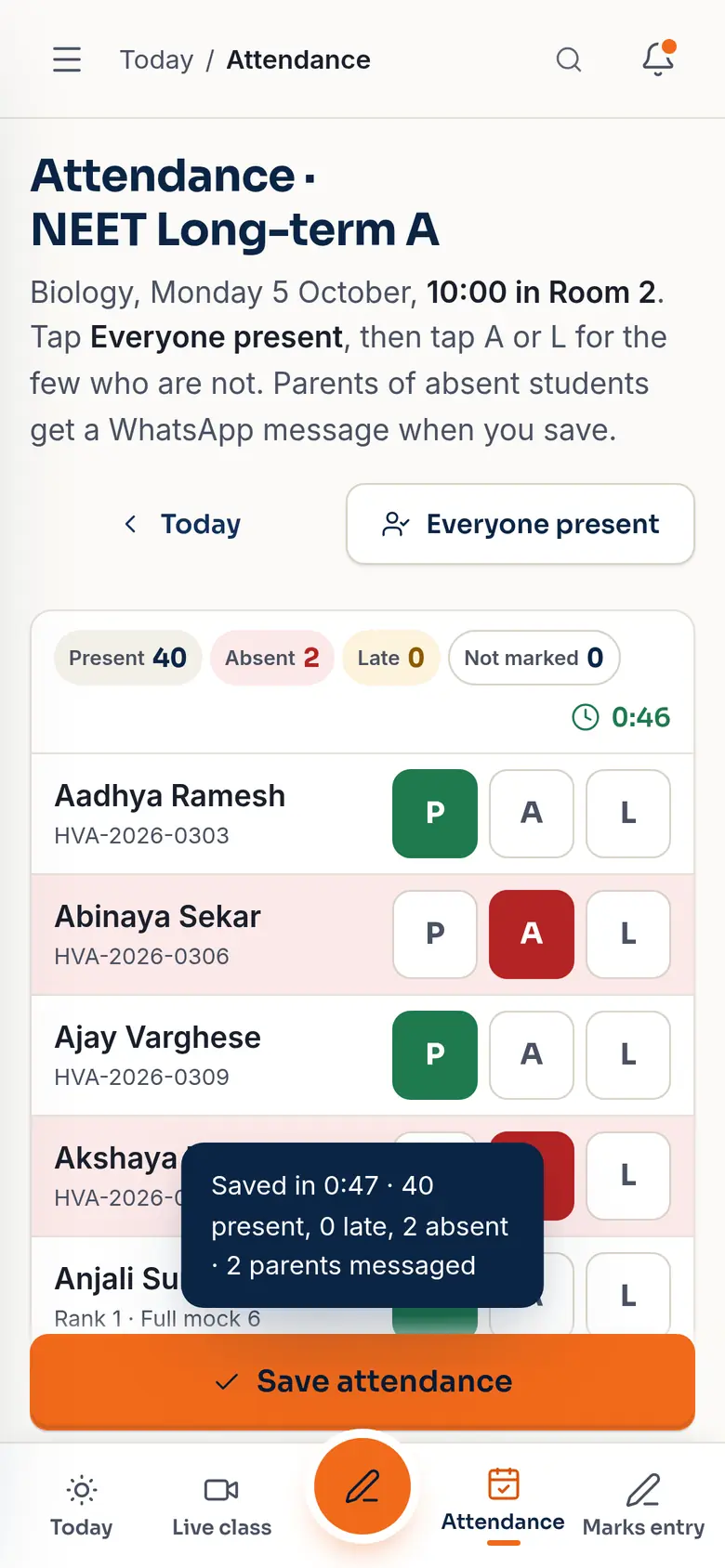
  • Savedwith a count: present, absent, late, parents messaged
  • Live classmarks attendance by itself
Attendance · வருகை
Attendance sheet for Biology, NEET Long-term A, with P, A and L buttons for each student.
Attendance saved in 0:47 — 40 present, 0 late, 2 absent, 2 parents messaged.

Marks at typing speed. Ranks by themselves.

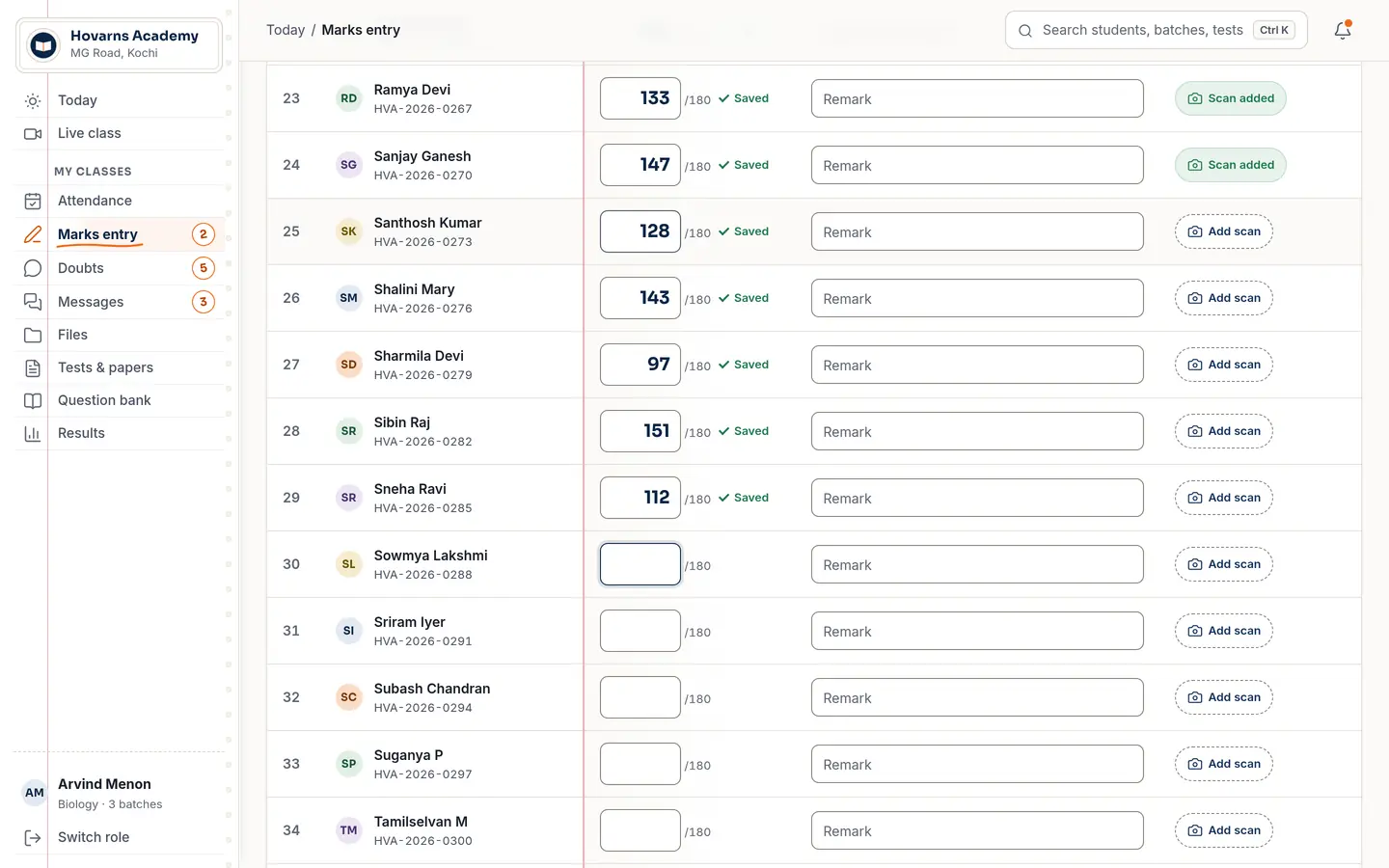
Type a mark, press Enter, and the next student is ready. Each mark saves as you go. When results are published, ranks, averages and every student's progress line are worked out — no spreadsheet in between.

  • KeysEnter or ↓ for next, ↑ for previous, A for absent
  • Out of 720NEET-pattern mocks, unit tests out of 180 or 360
  • Report cardsmade from the same numbers
Marks · மதிப்பெண்கள்
Marks entry grid for a 180-mark test: marks typed for each student, each row showing Saved.

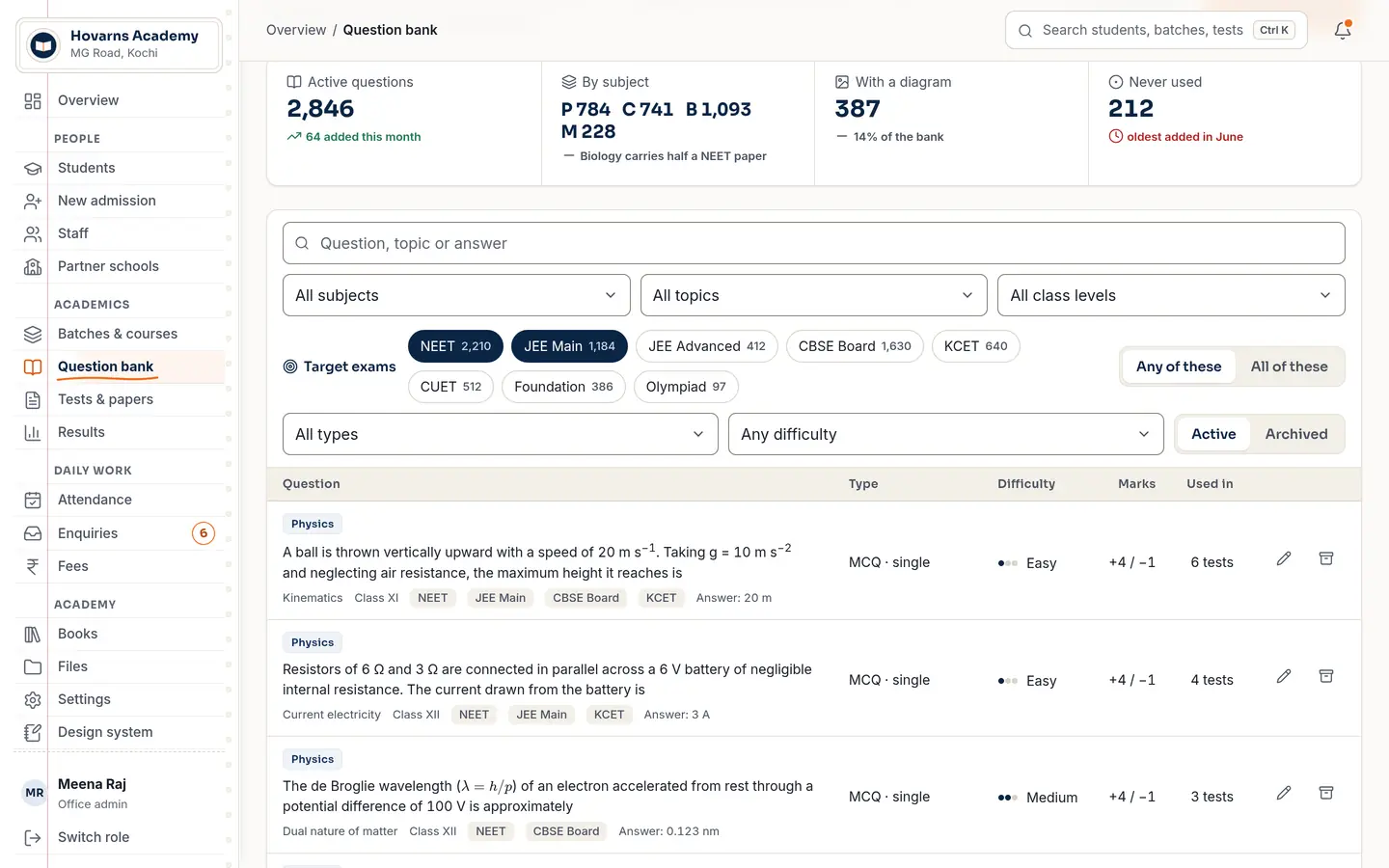
A question bank built for NEET and JEE.

3,69,864

questions from official previous-year papers, open datasets and other sets, searchable by class, subject, chapter, topic, difficulty and target exam. Every question carries its source and licence. Tag one question for NEET, JEE Main and the boards at once.

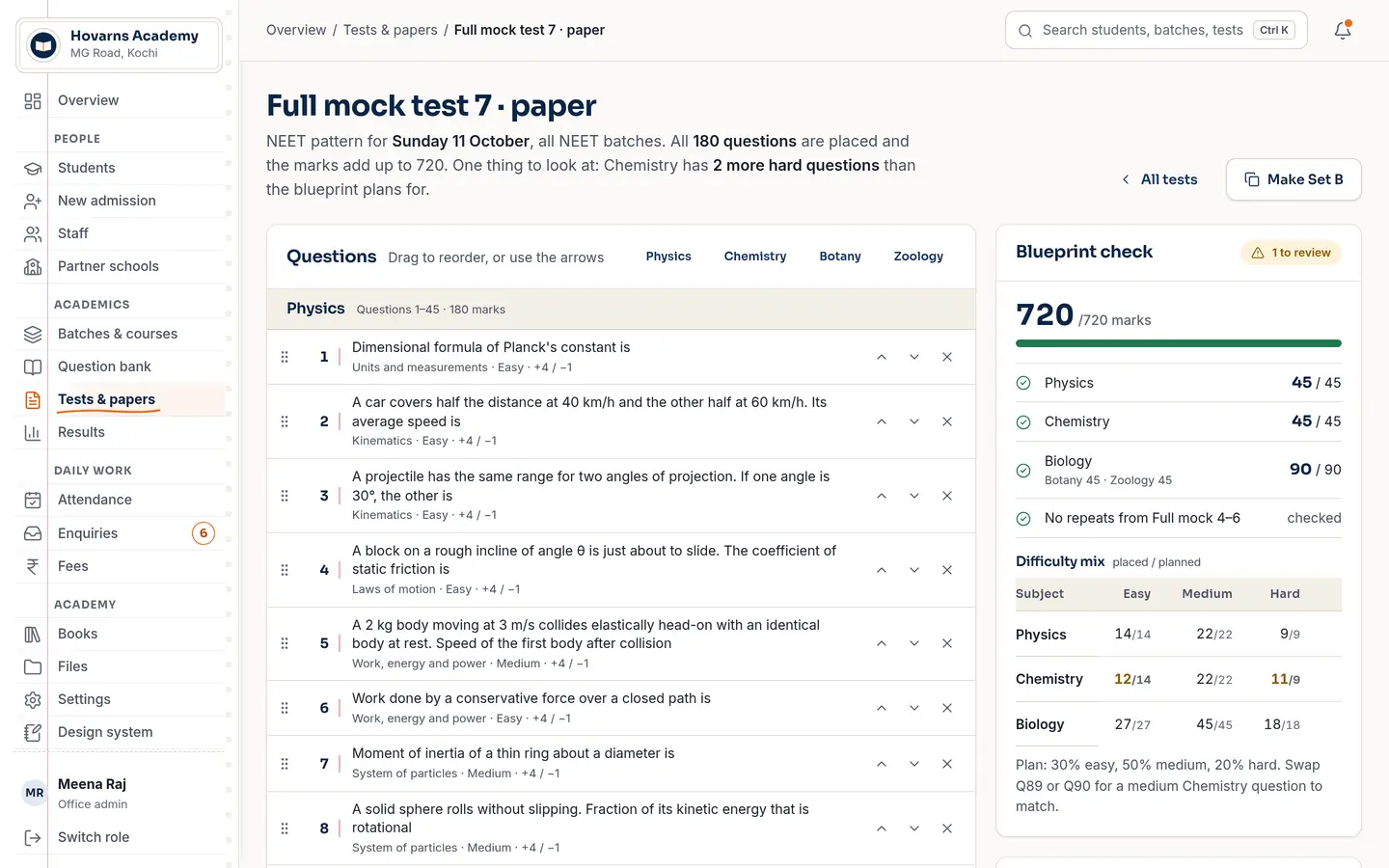
  • Paper builderdrag questions in; it checks the blueprint and the 720 total before you print
  • Word exportfor the papers you still print
  • Your ownquestions stay on your own tab, never mixed into the shared bank
Question bank with target exam chips — NEET, JEE Main, JEE Advanced, CBSE Board — and filters for subject, topic and class level.
Paper builder for Full mock test 7: 180 questions placed, blueprint check showing 720 out of 720 marks.

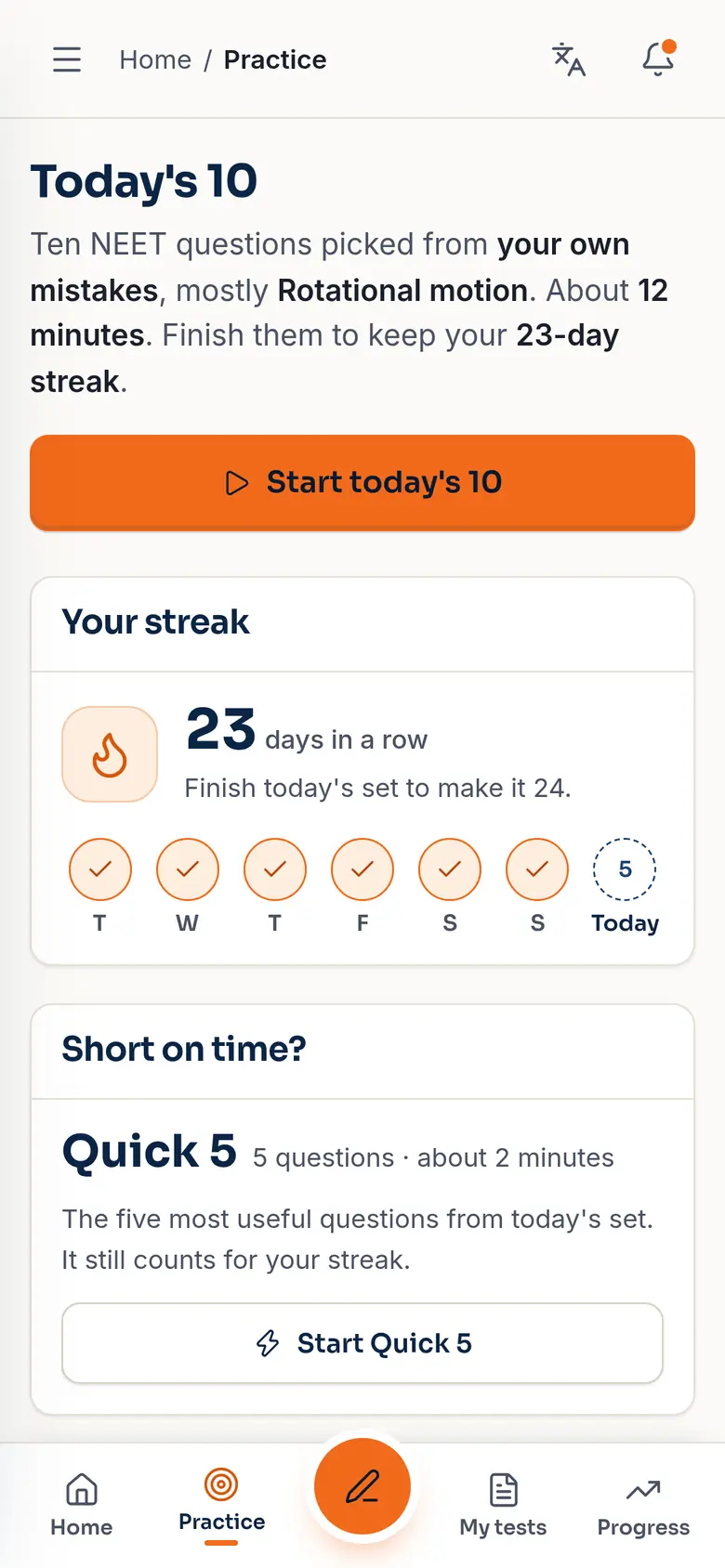
Today's 10. From their own mistakes.

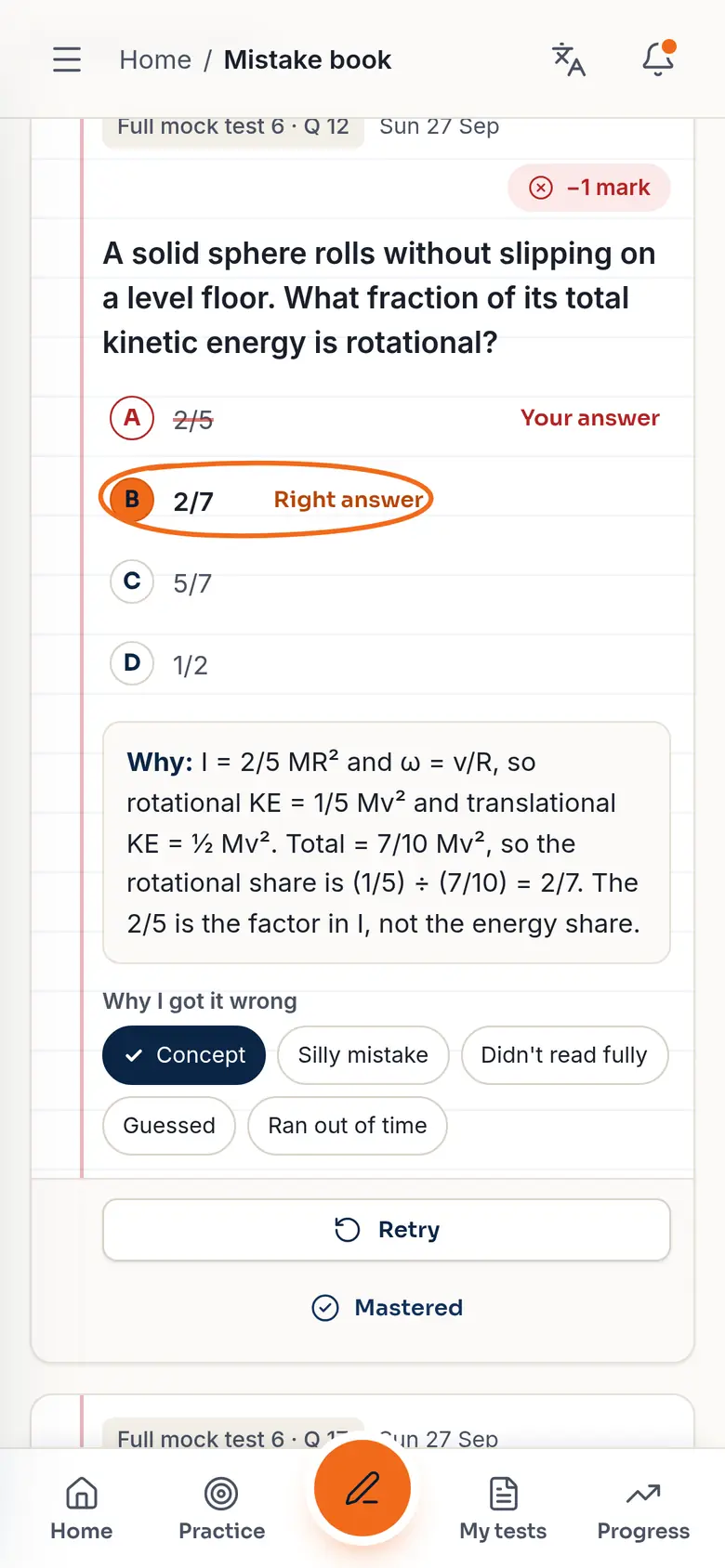
Every student gets ten questions a day picked from what they got wrong, with a streak they won't want to break. Wrong answers go into a mistake book that asks them again until they're mastered, and each test comes with an analysis of where the marks leaked.

  • PracticeToday's 10, or Quick 5 when they're short on time
  • Mistake bookretry until mastered, with the reason it went wrong
  • Alsosyllabus plan, doubts to teachers, flashcards
Progress · முன்னேற்றம்
Today's 10: ten NEET questions picked from the student's own mistakes, a 23-day streak.
Mistake book card: a rotational-motion question, the student's wrong answer, the right answer circled, and the explanation.

An exam screen that looks like the real NEET.

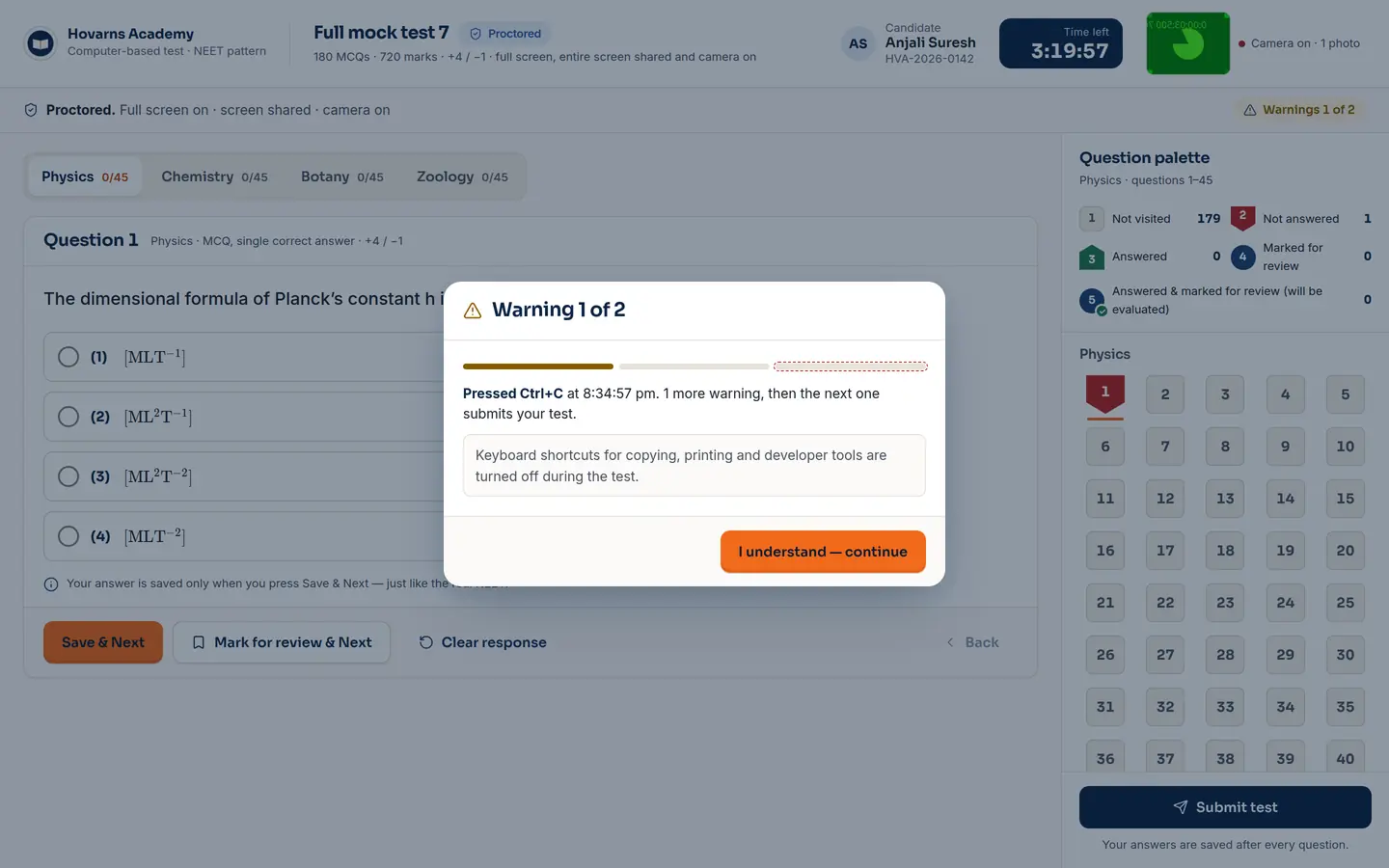
Online MCQ tests use the NTA-style screen students will face on exam day: the question palette, mark for review, the countdown. Proctored tests add the checks a browser can really make, and say plainly what it can't.

  • Beforefull screen, whole-screen sharing, one monitor only, camera if you want it
  • Duringtab switch, leaving full screen, copy shortcuts → warning 1, warning 2, then auto-submit
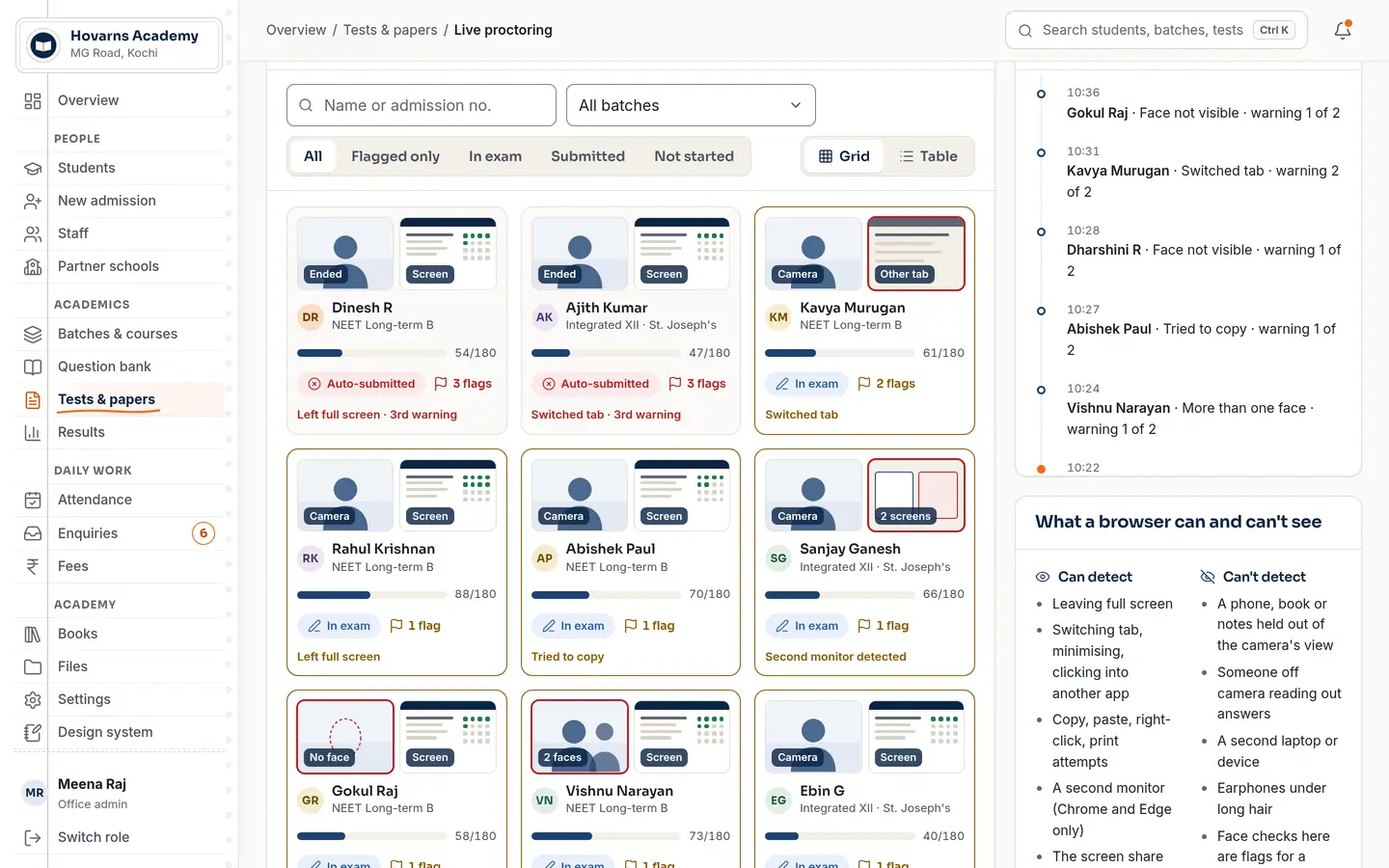
  • Proctor viewevery candidate's status and flags, live

Honest limit: a second phone or a person in the room can't be seen by any browser. The proctor page lists what is and isn't detectable.

Test · தேர்வு
Exam screen with a Warning 1 of 2 dialog after the student pressed Ctrl+C.
Live proctoring grid: candidate tiles with camera and screen status, warnings, and auto-submitted flags.

After class, it keeps going.

Live class & chat

Live

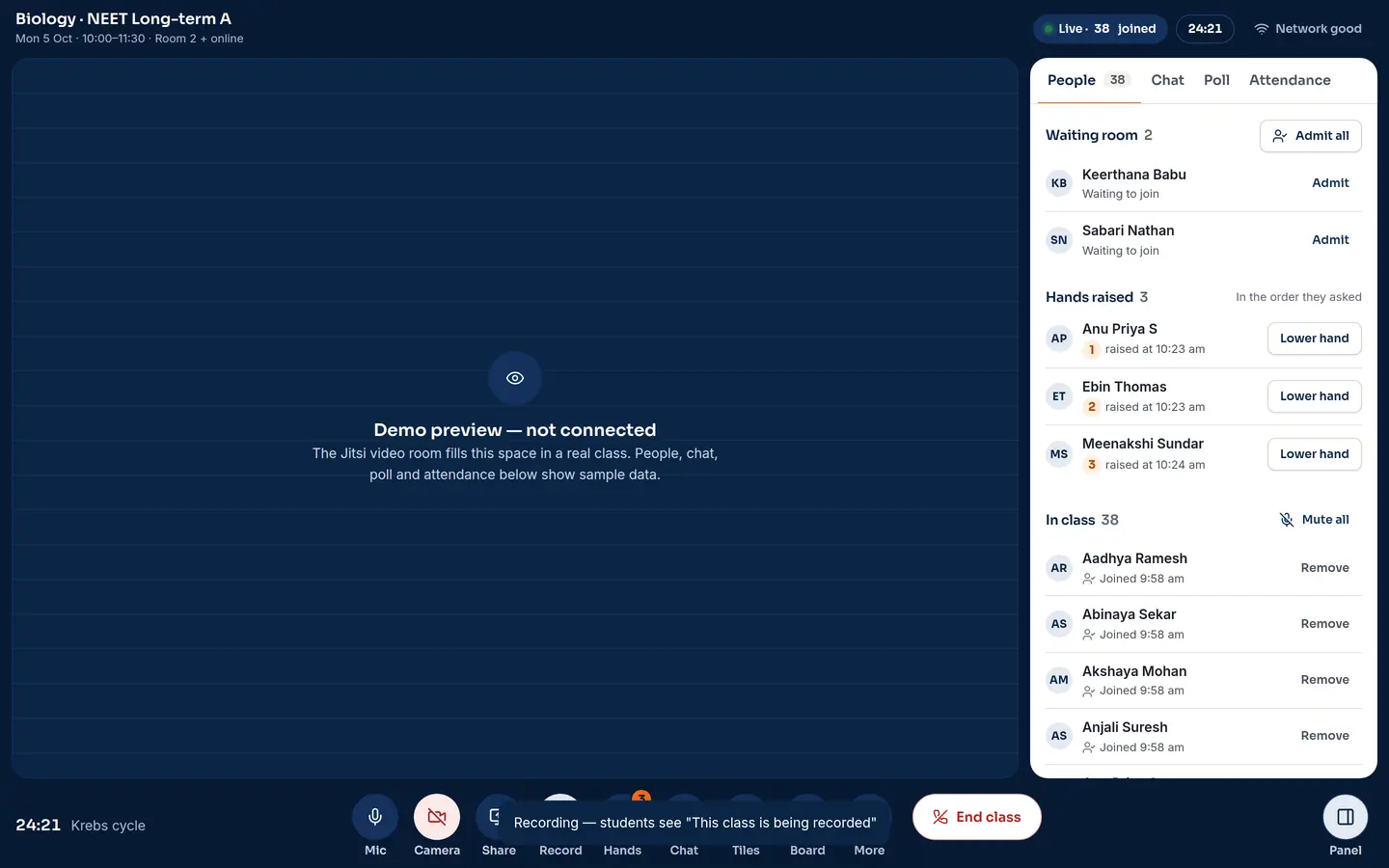
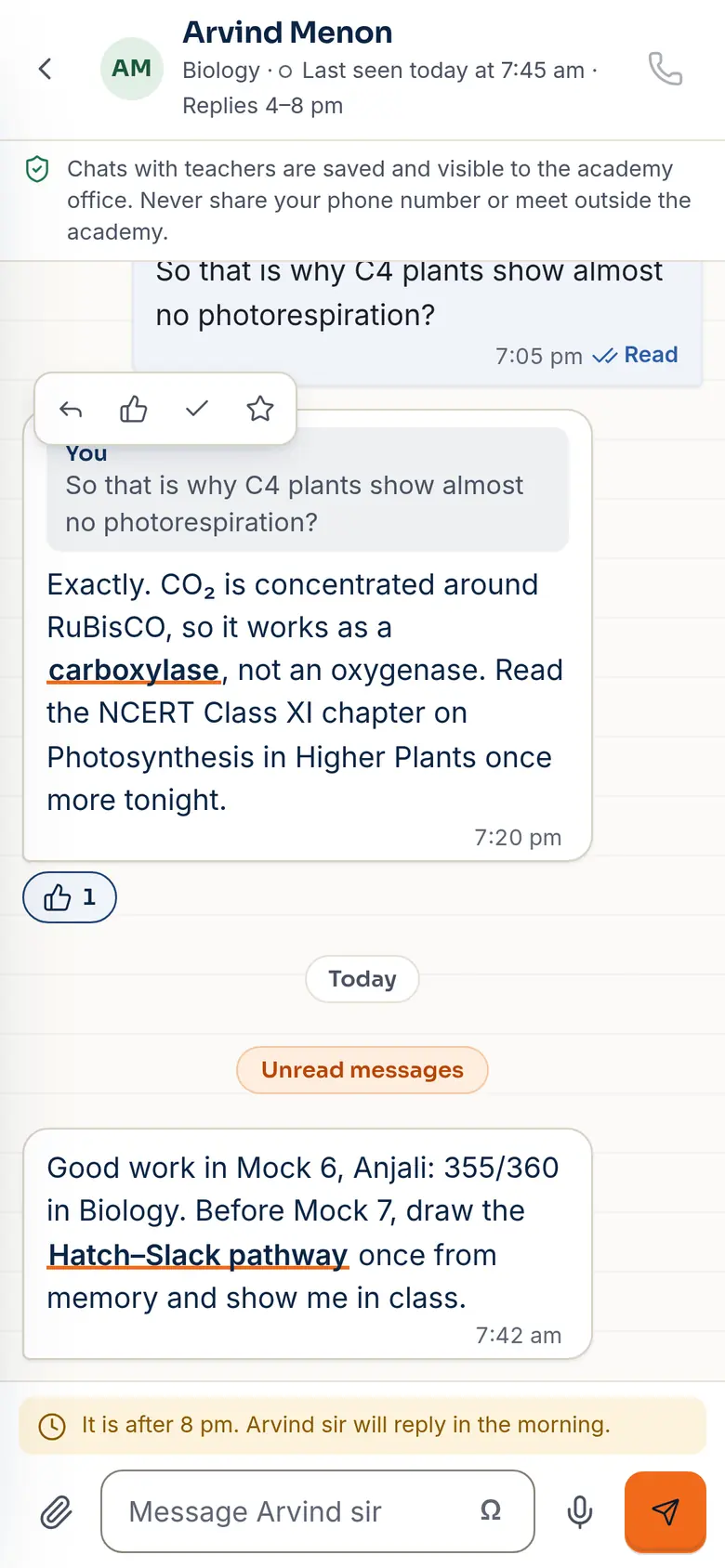
Teachers start a class from their timetable: a waiting room, raised hands, recording, and attendance that marks itself. Students message their teachers; every chat is saved and visible to the office, and late-night messages wait for the morning.

Live class for Biology, NEET Long-term A: 38 joined, waiting room, hands raised, recording on.
Student chat with teacher Arvind Menon about C4 plants, with a note that chats are saved and visible to the office.
  • Videoon the Jitsi Meet platform today; full own-brand video later
  • Recordingin the teacher's browser; students are told it's on
  • Chatphotos, voice notes, formulas, read ticks

Books & files

Textbooks open in a page-flip reader with highlights, notes and bookmarks that follow the student, and the office decides which batch sees which shelf. Notes, sheets, slides, documents and PDFs are made and edited right in the app.

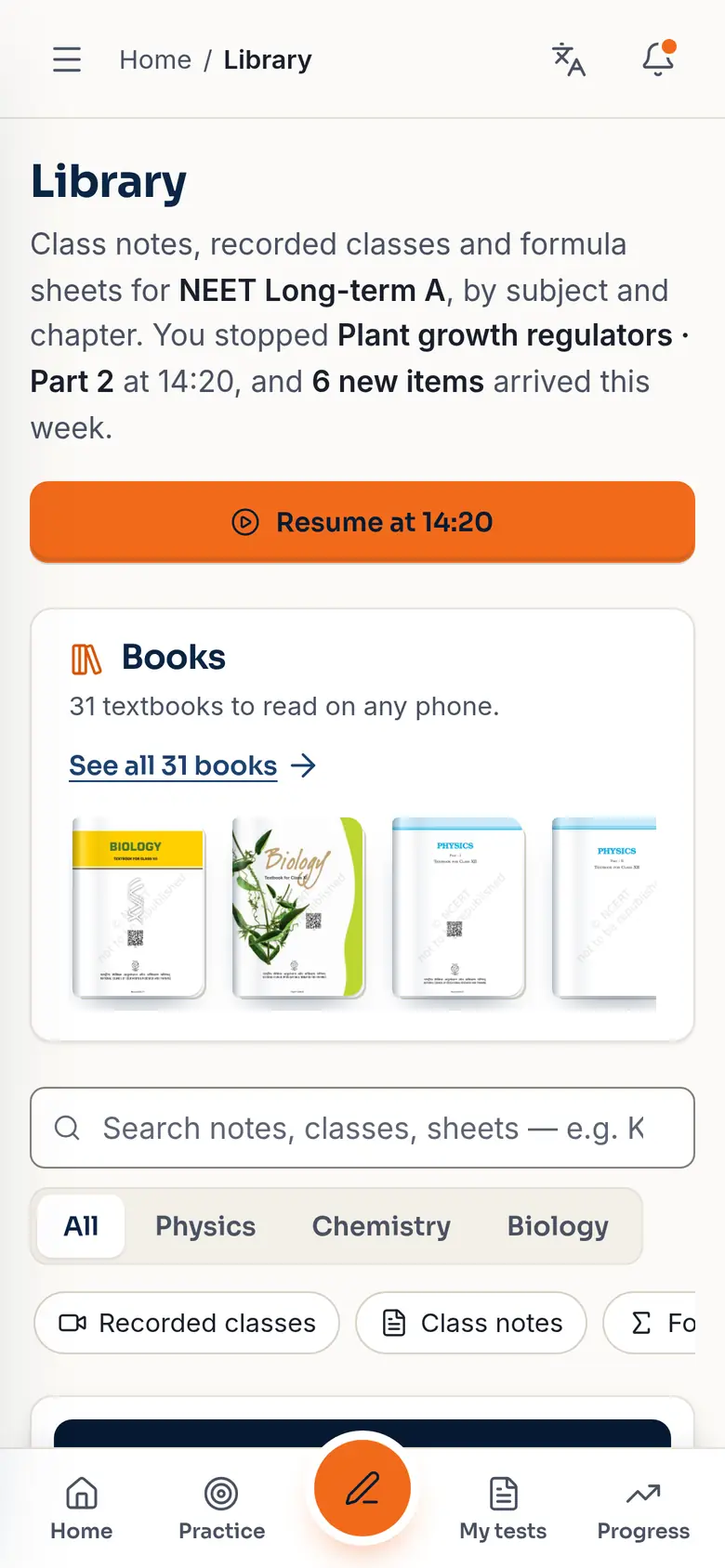
Student library: resume a recorded class, the Books shelf with textbook covers, and class notes by subject.
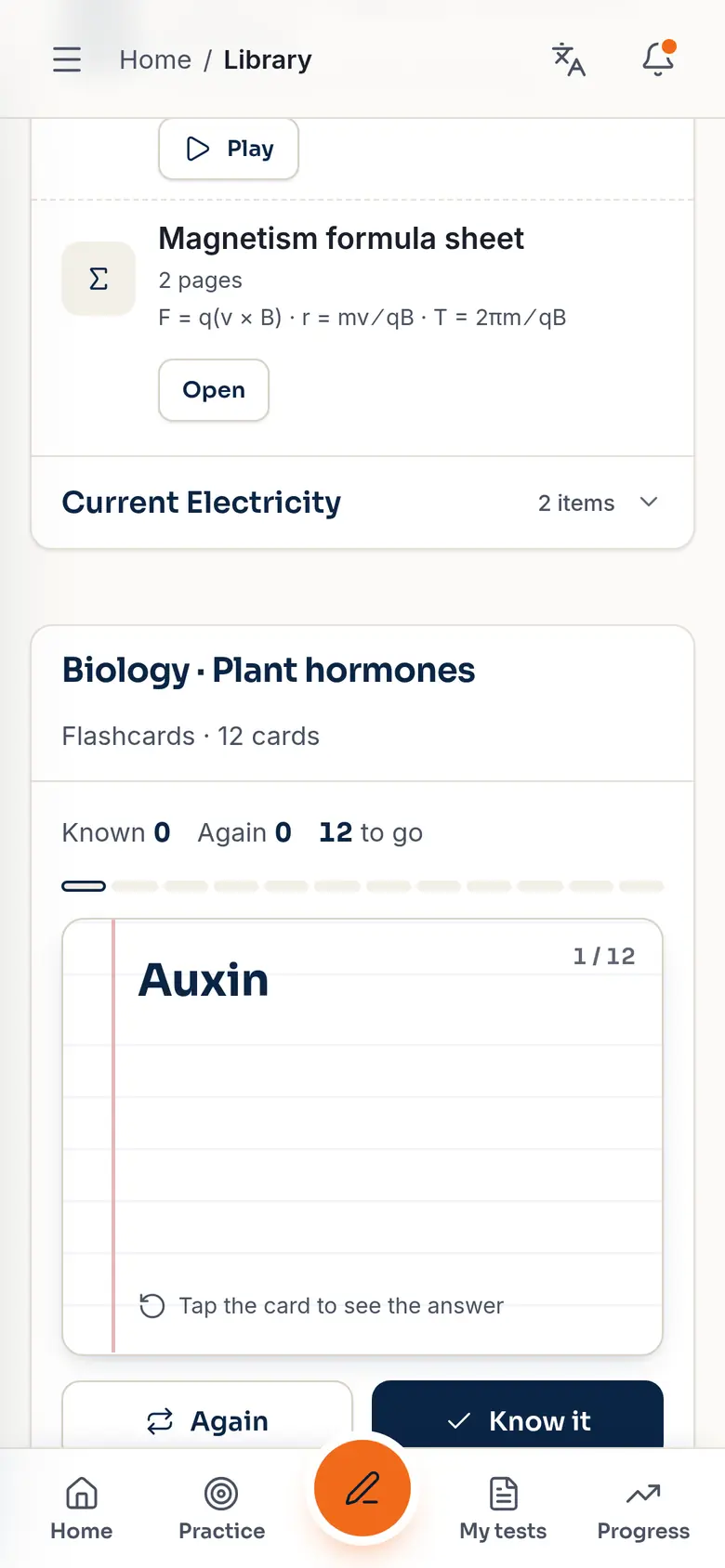
Flashcards for Biology, plant hormones: card 1 of 12, Auxin.
  • Booksshelves per batch, continue reading, search inside chapters
  • Filesdocuments, spreadsheets, slides, PDF editing
  • Mathsλ = h/p, CH₃COOH ⇌ CH₃COO⁻ + H⁺, typed with a symbol picker and drawn properly

Parents read it in Tamil.

Many parents read Tamil first. Their screens for results, rank, attendance and fees switch between Tamil and English with one tap, and one login shows every child they have at the centre.

  • Childrenswitch between brother and sister on one login
  • Insightone plain sentence about the child's progress
  • Callthe centre in one tap
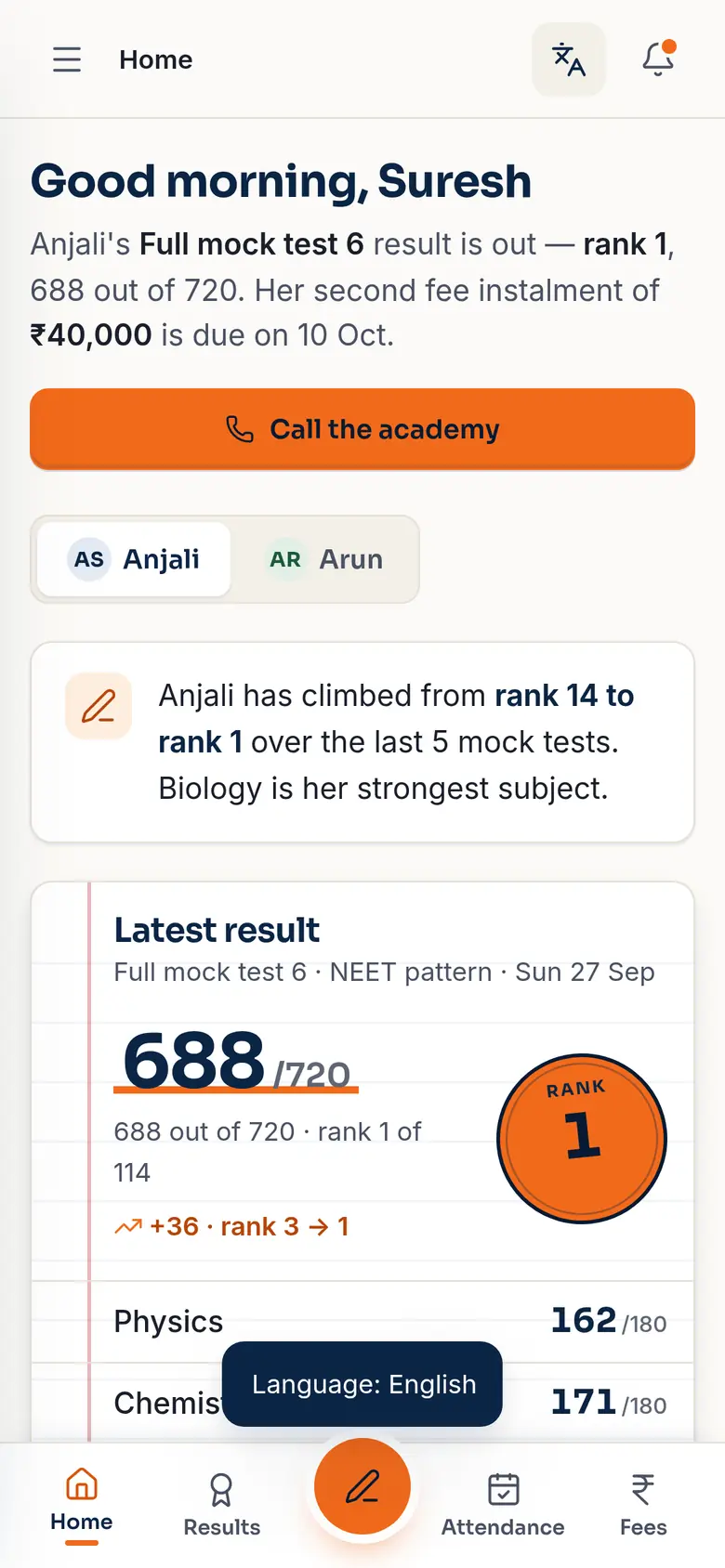
Anjali's own home screen: Full mock test 6, 688 out of 720, rank 1 of 114.
Parent home in Tamil: greeting, results, rank seal 1 and 688 out of 720.

Where the plates overlap: the same 688/720, rank 1, on Anjali's phone and on her father's.

Same app. Your ink.

Your students see your centre's name, logo, colours and app icon, not ours. Choose a theme, and the whole app is reprinted in it.

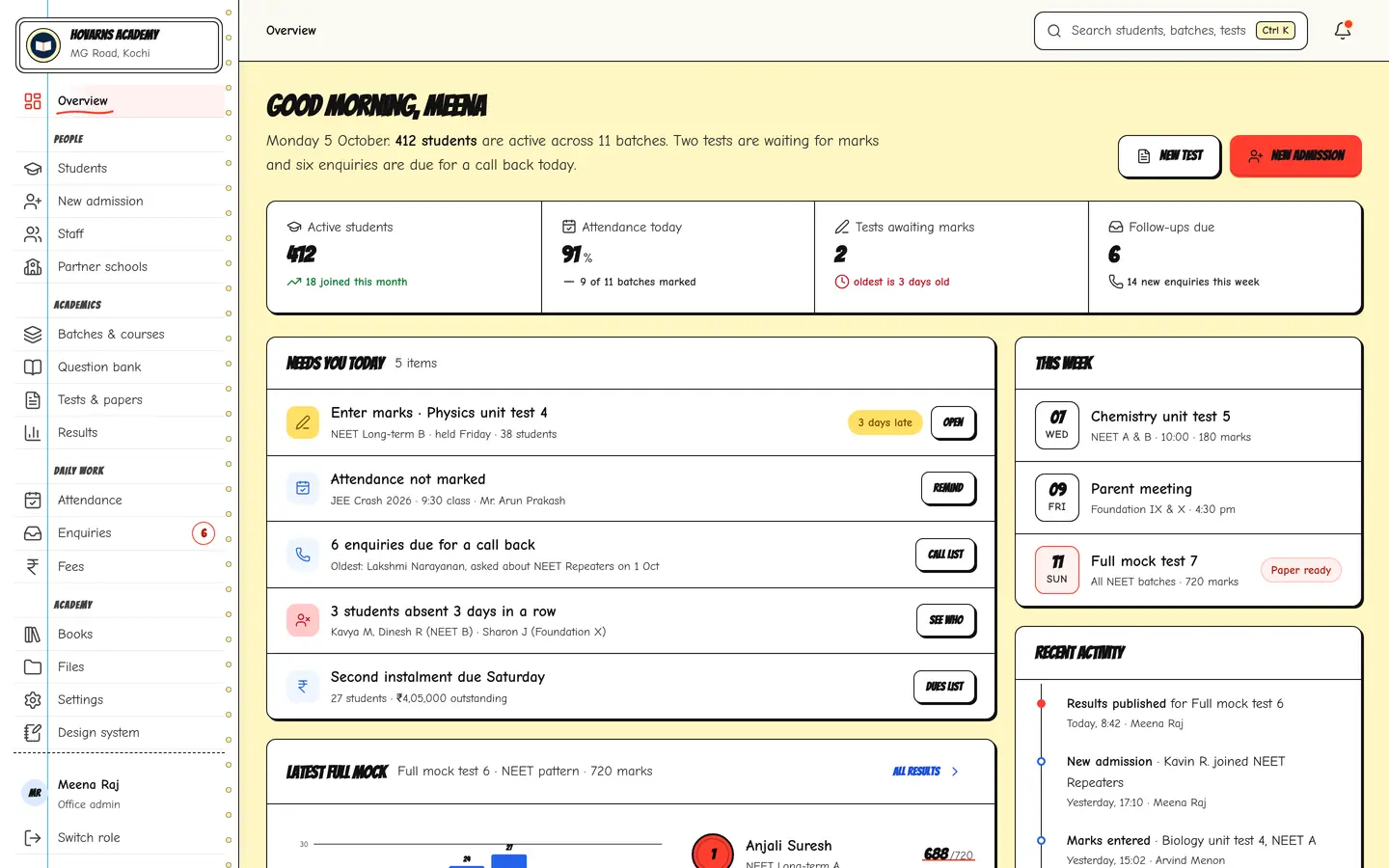
Each ink plate reprints the regions pinned on the screen: colours, type, buttons, corners, shadows and the sidebar. It never changes a screen, a workflow or a number.

The office overview in the Paper and Ink theme.
The same office overview in the Glass theme.
The same office overview in the Minimal theme.
The same office overview in the Comic theme.

Made for the phone in their pocket.

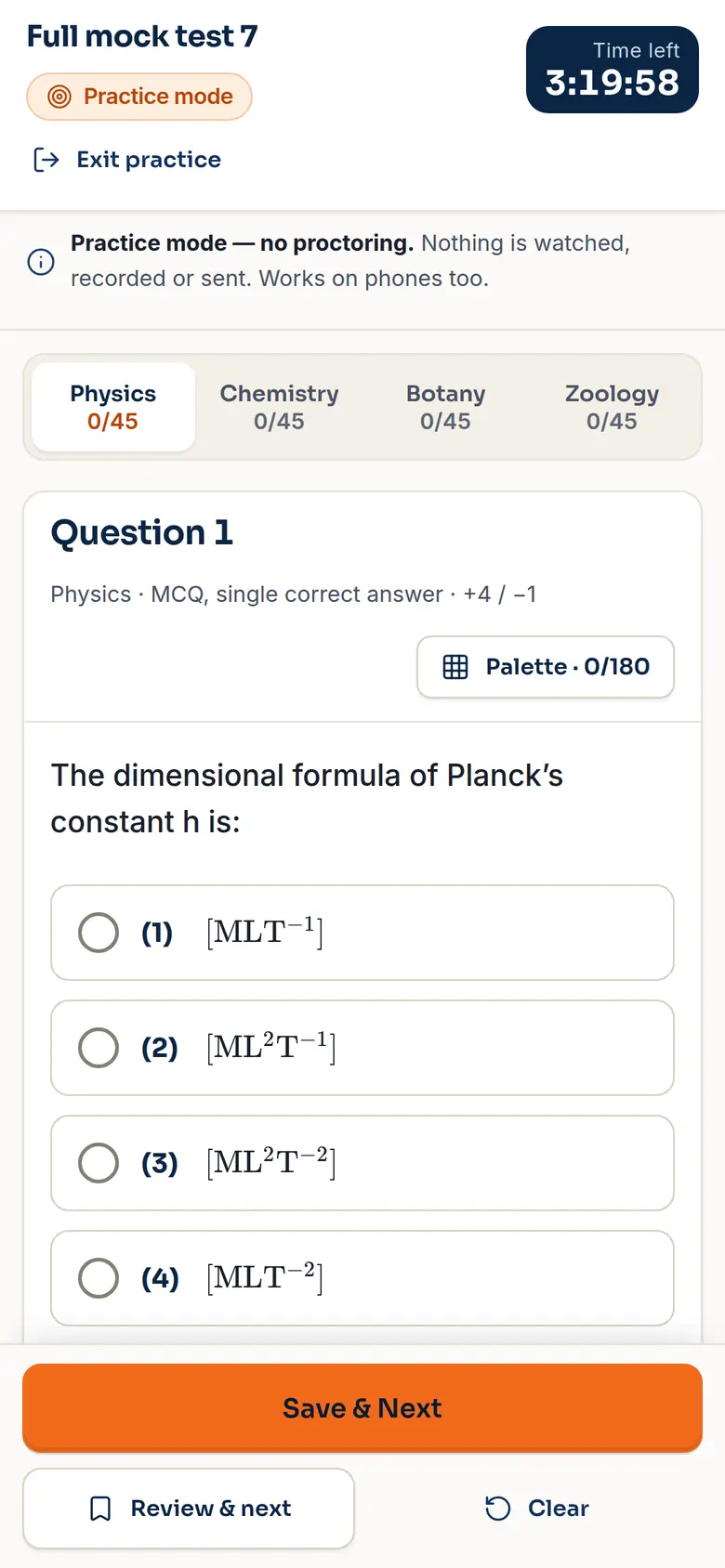
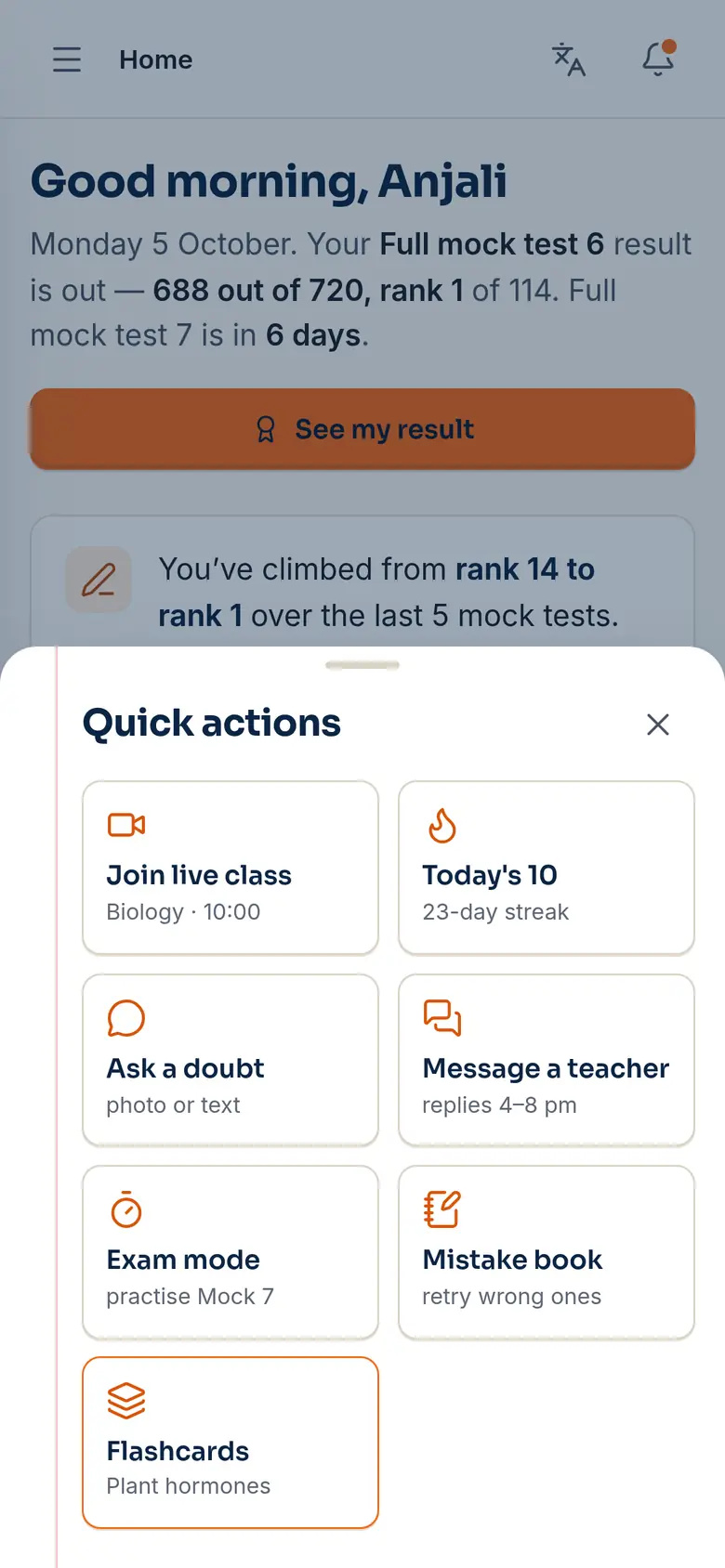
Student, parent and teacher screens are designed at phone size first: big tap targets, a pen button for quick actions, and your centre's own icon on the home screen.

Exam mode on a phone: Full mock test 7, question 1, time left 3:19:58.
Quick actions sheet: join live class, Today's 10, ask a doubt, message a teacher, exam mode, mistake book, flashcards.
Teacher's Today screen.
Parent home in English.

Our cloud, or your own server.

Either way the app is yours to run: same features, same updates.

On Hovarns cloud

  • A web address on our domain, or your own custom domain
  • We run the servers, backups and updates
  • Your app icon and name on every phone

On your own server

  • Installed on hosting you already own
  • Updates arrive signed — install in one click, or let them install overnight
  • Licensed to your domain
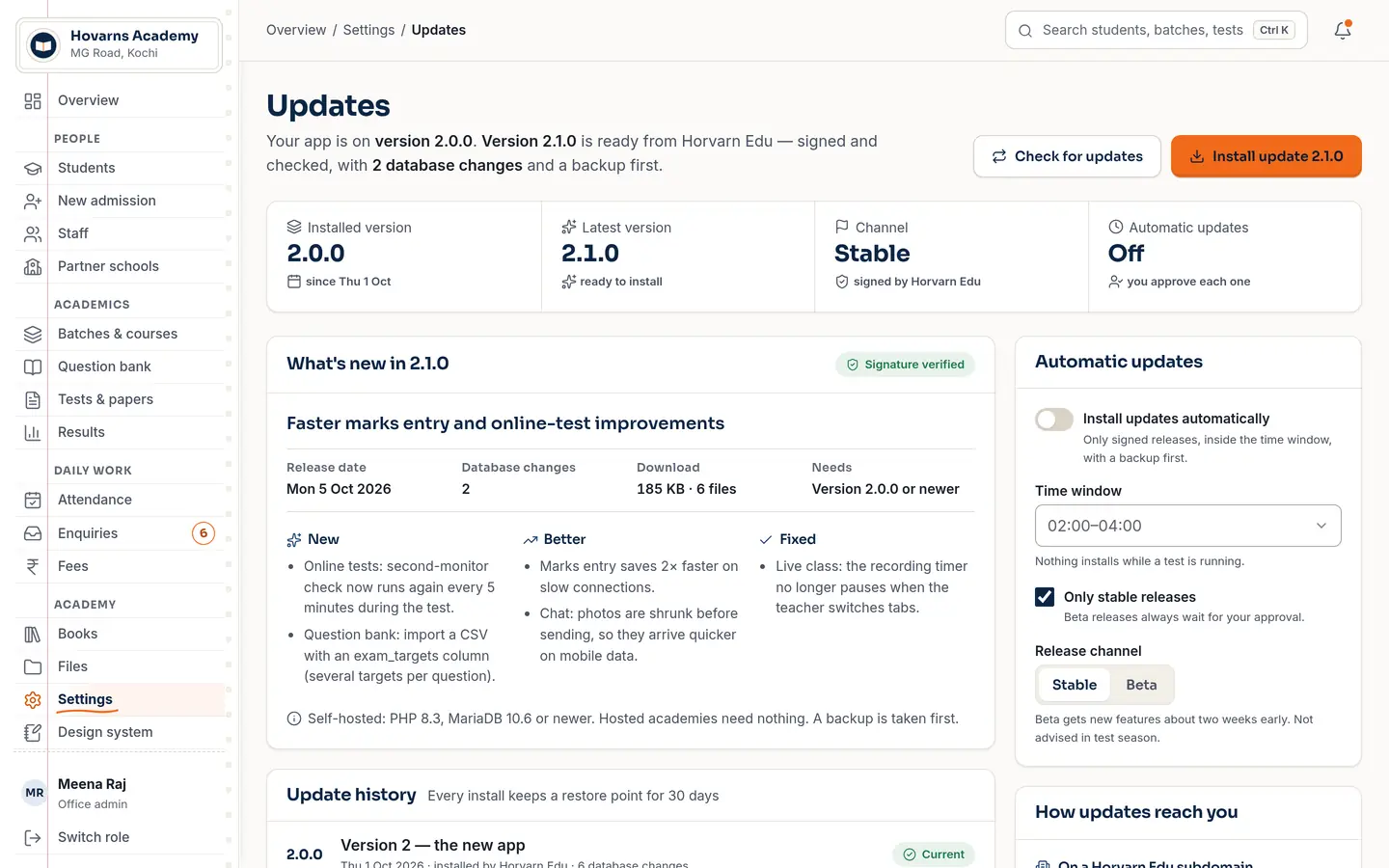
Updates page: installed version 2.0.0, latest 2.1.0 signed and checked, with what's new and automatic update settings.
Every update is signed by Horvarn Edu; the app checks the signature and every file before installing.
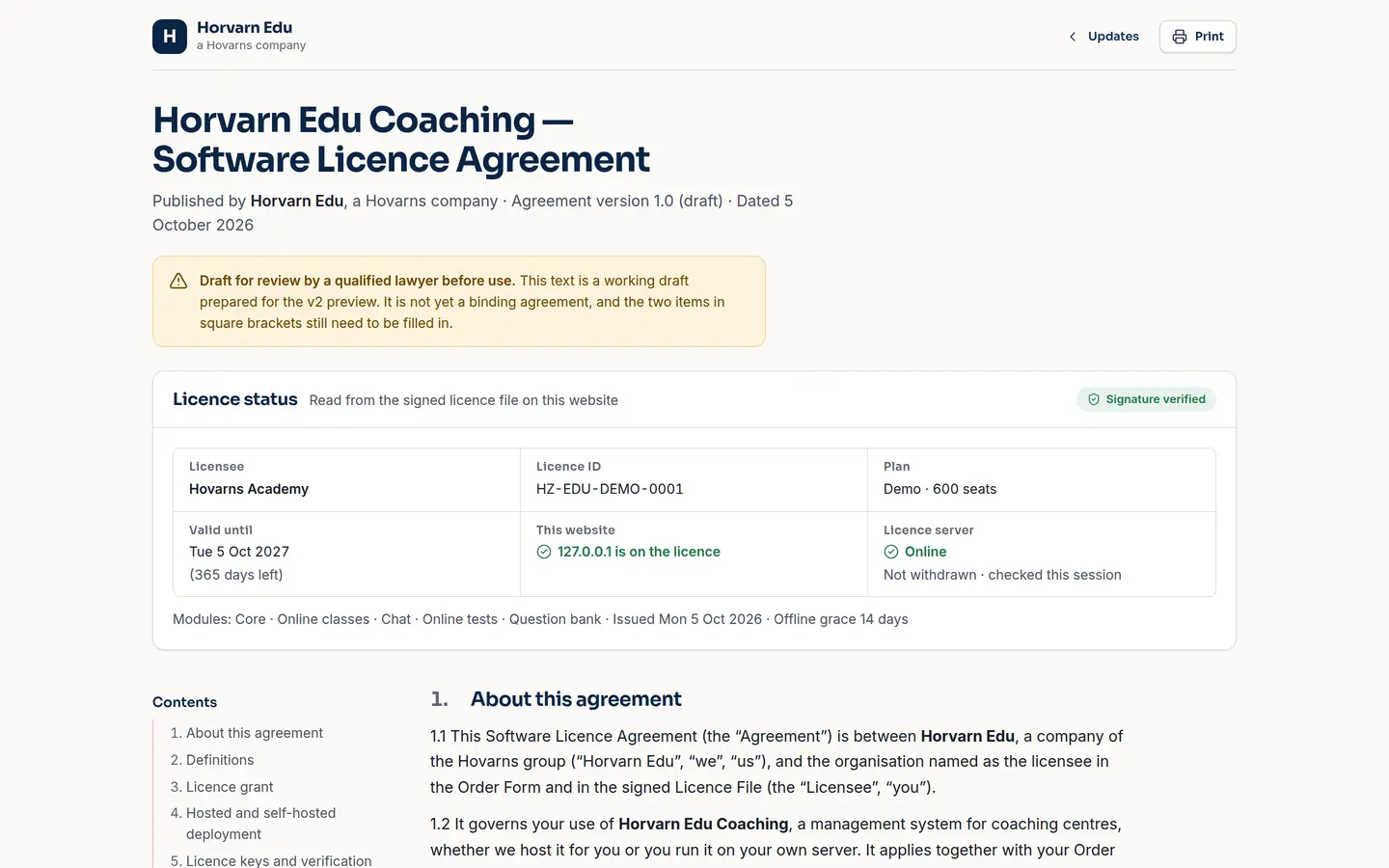
Licence page showing the licence status for the demo academy, signature verified.
Each copy checks its signed licence every session. Real enforcement happens on our servers too, because a check in the browser alone can be edited out.

From first call to first attendance.

Five runs on the press. We do the setting up with you; your staff learn it on their own screens.

  1. A demo call

    We walk your team through the demo app with your courses and batches in mind.

  2. Your look

    Name, logo, theme, app icon and web address — on our cloud or your server.

  3. Your centre

    Courses, batches, staff and students go in, with logins for each.

  4. Your staff

    The office and teachers try attendance, marks and tests before day one.

  5. Go live

    Students and parents sign in on their phones. Updates keep arriving.

Straight answers.

Is it ready to use today?

The app you can open in the demo is a working preview with sample data: every screen, workflow and module is real and clickable. The production server is being built now. On a demo call we'll tell you exactly what's live and what's next, and when your centre could start.

Is any centre using it?

Yes. Travancore NEET Academy in Nagercoil is the first academy on the platform. Everything you see on this site uses a separate demo academy with made-up students, so no real student's data is shown.

How much does it cost?

We haven't published prices yet. They depend on how many students you have and where you host it. Book a demo and we'll give you a written quote.

Will students see “Hovarns” anywhere?

No. Students and parents see your centre's name, logo, colours and app icon. The modules inside are white-label and never show our name.

Which courses does it suit?

It was built around NEET, JEE, CUET and Foundation coaching: mocks out of 720, ranks, an NTA-style exam screen and a question bank tagged by target exam. Integrated batches with partner schools are supported too.

Can we keep everything on our own server?

Yes. A self-hosted copy is licensed to your domain and receives signed updates from us. You can also start on our cloud and move later.

Is it in Tamil?

The student and parent screens switch between English and Tamil. Office and teacher screens are in English today.

Can online tests really stop cheating?

They stop the common tricks a browser can see (switching tabs, leaving full screen, copying, a second monitor) with warnings and then auto-submit, and the proctor sees it live. No browser can see a second phone or someone in the room, and we say so on the proctor screen.

What do we need to run it?

Phones and a browser. Students and parents can add it to their home screen like an app. For live classes and proctored tests, a laptop or desktop with Chrome or Edge works best.

Book a demo.

Thirty minutes on a call, with the real app on screen. Tell us a little about your centre and we'll show you the parts that matter to you.

  • See your own day: attendance, marks, tests
  • Ask anything about hosting, Tamil and your brand
  • Get a written quote

Can't wait? Open the demo app

Not connected yet. This form doesn't send anything today. It gets your request ready so you can copy it and send it to us yourself.

Please tell us your name.

Please add your centre's name.

Please add a phone number we can call.

That email doesn't look right.

Courses you run