
Hovarn Examy
online MCQ exams and proctoringNTA-style online tests with the proctoring checks a browser can really make.
What it does
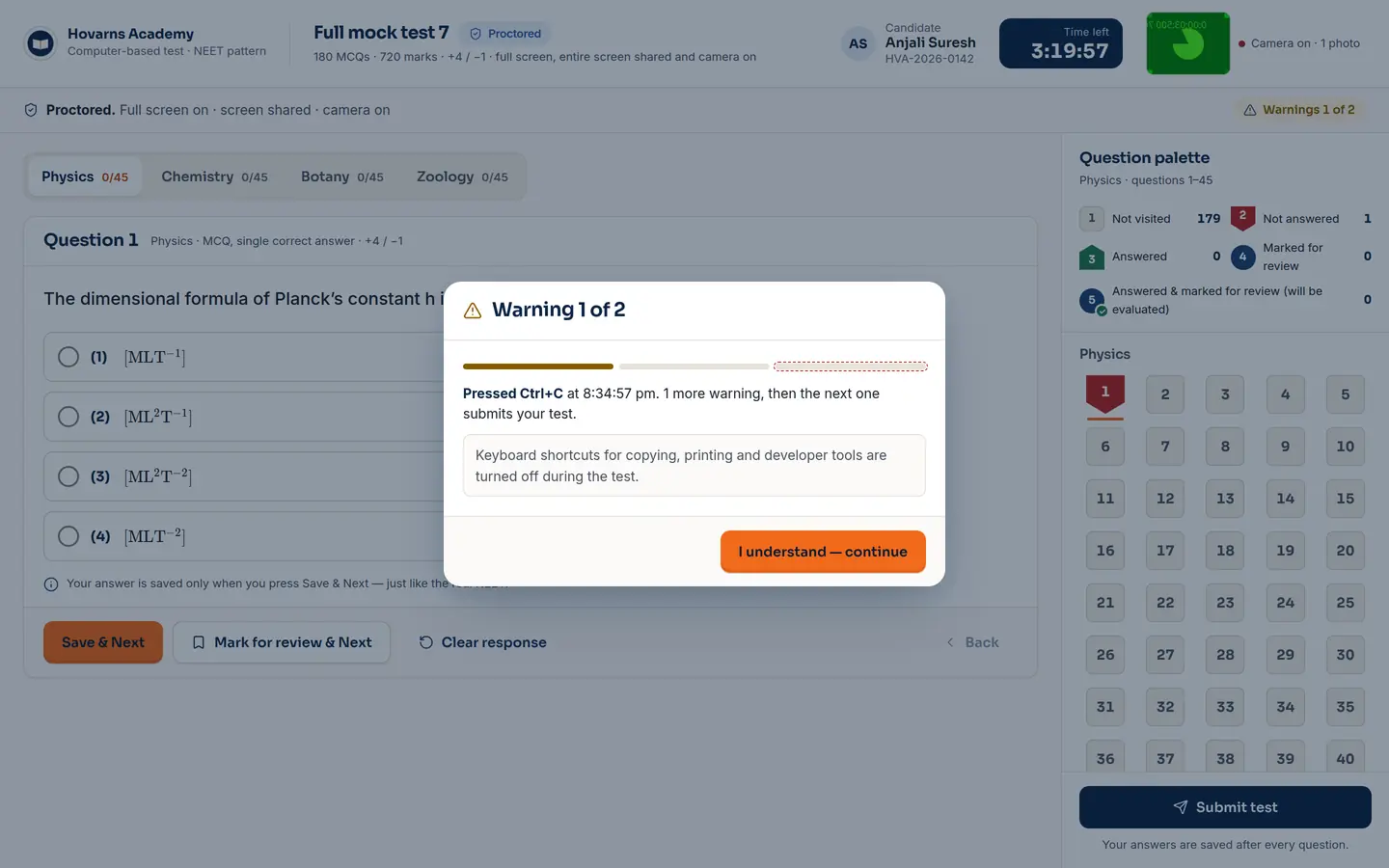
- The NTA-style screen: question palette, mark for review, timer, sections
- Before the test: full screen, whole-screen sharing, one monitor, optional camera
- During: tab switch, leaving full screen, copy shortcuts → two warnings, then auto-submit
- A live proctor grid with every candidate's status and flags
- Practice mode with no proctoring
Who it's for
Centres running online mocks and unit tests; students sitting them at home.
How another app uses it
Not a separate embed yet. These are the browser checks the module is built on:
// the student must share the whole screen, not a tab or a window
const s = await navigator.mediaDevices.getDisplayMedia({ video: { displaySurface: 'monitor' } });
s.getVideoTracks()[0].getSettings().displaySurface;   // 'monitor' or the test won't start

if (screen.isExtended) { /* a second monitor is connected — refuse to begin */ }
document.addEventListener('visibilitychange', () => { /* tab switched → warning */ });
document.addEventListener('fullscreenchange', () => { /* left full screen → warning */ });
Where it stands Preview
Working in the demo, including the warnings and auto-submit. Results are kept in the browser until the exam server lands. No browser can see a second phone or another person in the room, and the proctor screen says so.